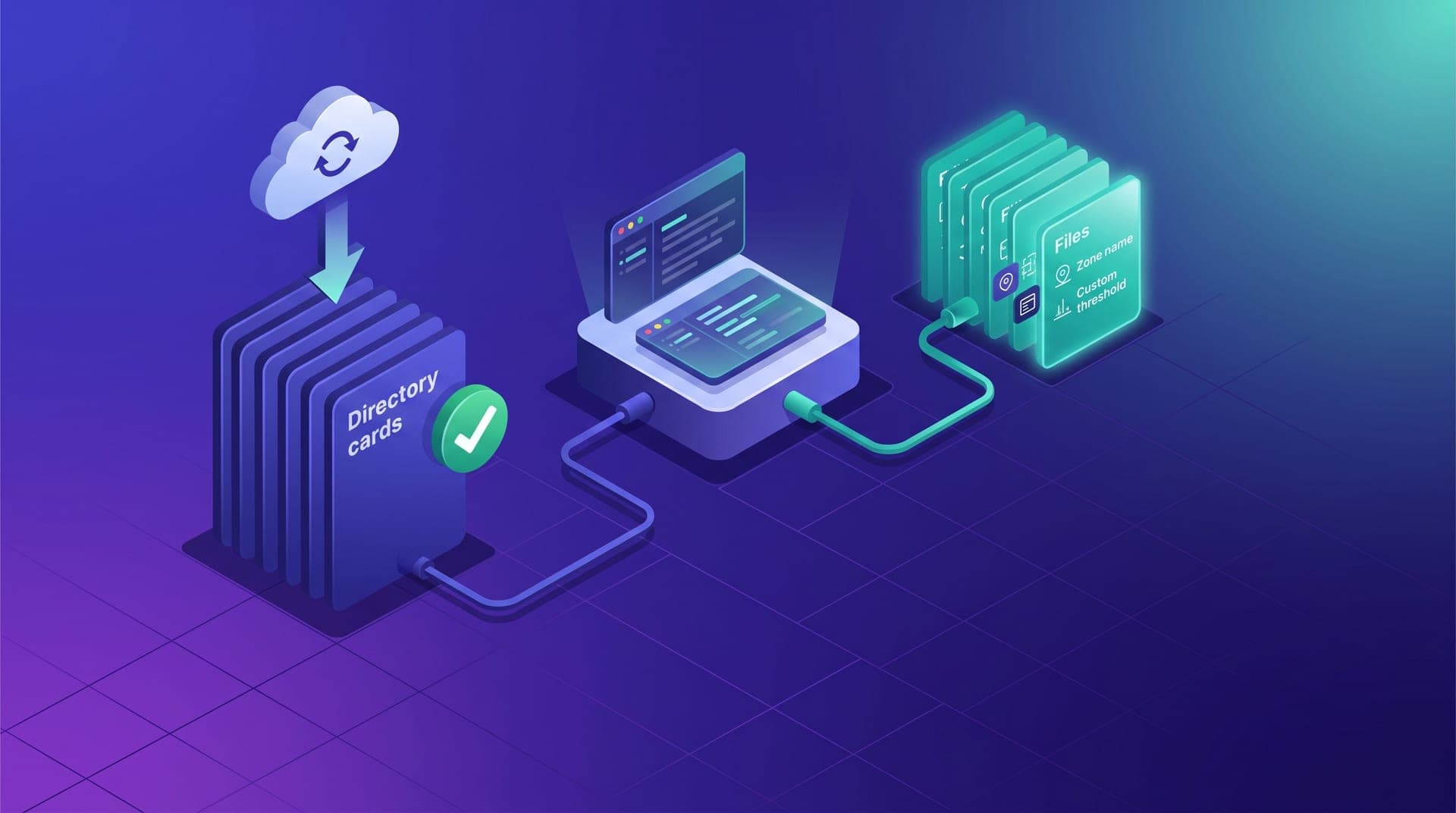
When Cabgo releases an update to the public MCP skill, operators who installed the original version without modifying it receive the improvements automatically: new tools available, corrected system instructions, optimized usage patterns. Operators who edited the skill directly to add their own internal conventions — zone names, custom thresholds, escalation flows — face the same dilemma with every new release: overwrite with the update and lose their additions, or stay on their version and fall behind on functionality. That dilemma has a solution that doesn't require choosing between the two paths — it requires separating the two layers from the start.
This article is for operators who already have the skill installed and running, have started adding operation-specific context, and want a way to keep those conventions without every platform update becoming a decision about what to sacrifice. The pattern described here — separating the base skill from the operator's context into distinct files — doesn't require advanced development knowledge. It's a structural decision that anyone who has edited the agent's system instructions once can implement in under an hour, and that turns every future skill update into a ten-minute, conflict-free operation.
The public skill as a configuration starting point, not a finished product
The public skill Cabgo publishes contains the MCP server tool definitions, a set of system instructions that orient the agent toward expected usage patterns, and prompt examples for the most common tasks. What the skill cannot include by design — because it's the same for all operators — are the conventions specific to each operation: the name the team uses for the airport high-demand zone, the availability threshold that operator treats as an alert during the off-season, the internal criterion for when to escalate an incident to the shift coordinator rather than the business owner. That second layer is what turns the generic skill into a useful tool for that specific operation, with those drivers, those zones, and those criteria.
The problem appears when that second layer gets added directly inside the same files that define the first one. Editing the skill's system instructions file to include your own conventions isn't technically wrong — the agent works and results improve. The error is architectural: when the platform releases a new skill version with improved instructions or new tools, the operator will have to choose between updating the base files and losing their additions, or keeping their modified version and missing the improvements. Both costs are real and recurring.
Where customization tends to land and why that location creates future friction
Most operators who customize the skill do it in one or two places: they add lines to the skill's system instructions file and, in some cases, adjust parameters in tool definitions to reflect their specific zone names or ranges. The changes are reasonable and pointed in the right direction — the problem isn't what gets added, but in which file. The base skill files are exactly the ones the platform will update when the next version ships.
The practical result: a meaningful update arrives and the operator discovers a version conflict between what they're running and the new release. If they take the fastest path and overwrite with the update, their internal conventions disappear and have to be rebuilt from memory. If they decide to hold back to preserve them, they start accumulating drift from platform improvements — the agent runs on instructions that no longer reflect the server's current capabilities. Both paths have a cost. The alternative is to not put conventions in the files the platform will update.
The layered approach: separating the base skill from operator context
The pattern that eliminates that dilemma is structurally simple: the public skill files are never modified. They get installed exactly as the platform publishes them and updated directly when a new version ships. The operator's internal conventions live in a separate file — call it context_operador.md or whatever name the team prefers — that gets loaded into the agent client's system instructions (Claude Desktop, ChatGPT, or whichever client the team uses) but isn't part of the skill directory itself.
The separation has one important practical implication for how the system instructions section is structured in the client. The first part references the public skill without changes — the tool instructions and server usage patterns exactly as the platform published them. The second part loads the operator conventions file: zone names, specific thresholds, internal escalation criteria. When the platform updates the skill, the operator updates the first part — or reinstalls the skill files in the directory. The second part has no conflicts because it was never in the files that got updated.
What conventions are worth keeping in your operator layer
Not all the knowledge an operator has about their operation needs to be formalized in the conventions file. Information that changes in real time — the current status of active drivers, demand spikes happening right now — the agent retrieves directly from the MCP server on each query. What's worth codifying in the operator layer is structural context: what stays stable across shifts and what the agent needs in order to interpret the data it receives from the server correctly.
- **Zone names and their mapping**: if the team calls it «North Zone» while the map records it as «sector 04», that mapping in the instructions removes ambiguity from every query — without it the agent uses the server's technical identifier and the team has to mentally translate every response
- **Custom normality thresholds**: the availability, cancellation rate, and wait time ranges that are normal for that specific operation, by time window and zone — the skill's default values are generic and don't reflect the reality of each individual market
- **Internal escalation flow**: who receives which type of alert, through which channel, and at what time — the skill has no way of knowing the night shift coordinator prefers surge alerts via WhatsApp while the business owner reviews the summary on the dashboard only at end of day
- **TenantId conventions by context**: if the operation has two tenants (taxi and delivery) and tasks of each type always use the same one, formalizing that in the layer prevents the error of mixing tenants in quick queries where it isn't specified explicitly
- **Stored resolutions for recurring incidents**: the fix that already worked for problems that keep coming back — when the agent recognizes the pattern and already has the resolution in context, the query ends in a direct answer rather than a fresh diagnosis from scratch
How to pull a skill update without touching your operator layer
With the layered pattern in place, pulling a public skill update is a three-step sequence that takes under ten minutes. First: download or update the skill directory from the platform's repository — if you're using git, a pull in the skill folder is enough. Second: review the update's changelog to understand what changed. Some updates add new tools; others rename existing parameters or adjust response formats. If there are changes of that type, a minor adjustment in the operator layer may be needed — not in the base skill files. Third: verify that the system instructions in the agent client still reference the updated files correctly.
If the operator never modified the base skill files, those three steps are everything needed. The operator layer has no conflicts because it lives in a separate file. If skill changes require adjustments in the operator's context — for example, a renamed tool the operator references by name in their conventions file — those adjustments happen in the operator file, not in the skill files. The result: the agent has the platform's improvements and the operator's internal conventions, with no interference between the two.
Verifying the operator layer works after applying an update
The most direct check after an update is a diagnostic query to the agent before returning it to production use. A simple prompt — «What zones do you have defined as high-demand for this operation? What's the availability threshold you consider normal for this city?» — asks the agent to return what it has in active context at that moment. If the response includes the names and values from the operator file, the update didn't affect them. If the agent returns generic values or doesn't recognize the internal zone names, something went wrong with how the conventions file was loaded into the client's system instructions.
That check takes two minutes and has outsized value: it prevents running a shift with an agent that has the skill improvements but lost the operation's context. The symptom of that state isn't always immediately visible — the agent answers questions, accesses the server, produces correctly formatted outputs — but it does so without the frame that produces operation-specific responses. An agent with no conventions loaded is functionally equivalent to a freshly installed one: correct in form, but generic in content. For an operation that has spent months refining its context layer, losing it silently in an update carries exactly the same cost as not having built it.
The first time a skill update came out I overwrote the files and lost all the instructions I'd added for my zones. It took me a day to reconstruct them from memory. The second update I applied with the operator file already separate — ten minutes, no conflicts, and my conventions were untouched.
The layered pattern isn't an advanced development practice — it's a decision about where the operator stores their operation's knowledge. The platform's public skill handles the MCP server interface: what tools exist, how to invoke them, what they return. The operator conventions file handles the specific operation's context: what the data the skill returns means in terms of that city, that team, and those thresholds. The two layers answer different questions, and when they live in separate files, each can be updated independently without one affecting the other.
If you've had the skill installed for more than a month and haven't separated the layers yet, the most convenient moment to do it is before the next significant update arrives. The inventory of what would make your layer useful isn't long: five to eight conventions the team uses frequently enough to be worth documenting in a fixed place. Creating the file, moving there what you already have scattered in the system instructions, and updating the references in the client takes less than an afternoon. Future skill updates will be ten-minute operations instead of decisions about what to sacrifice.