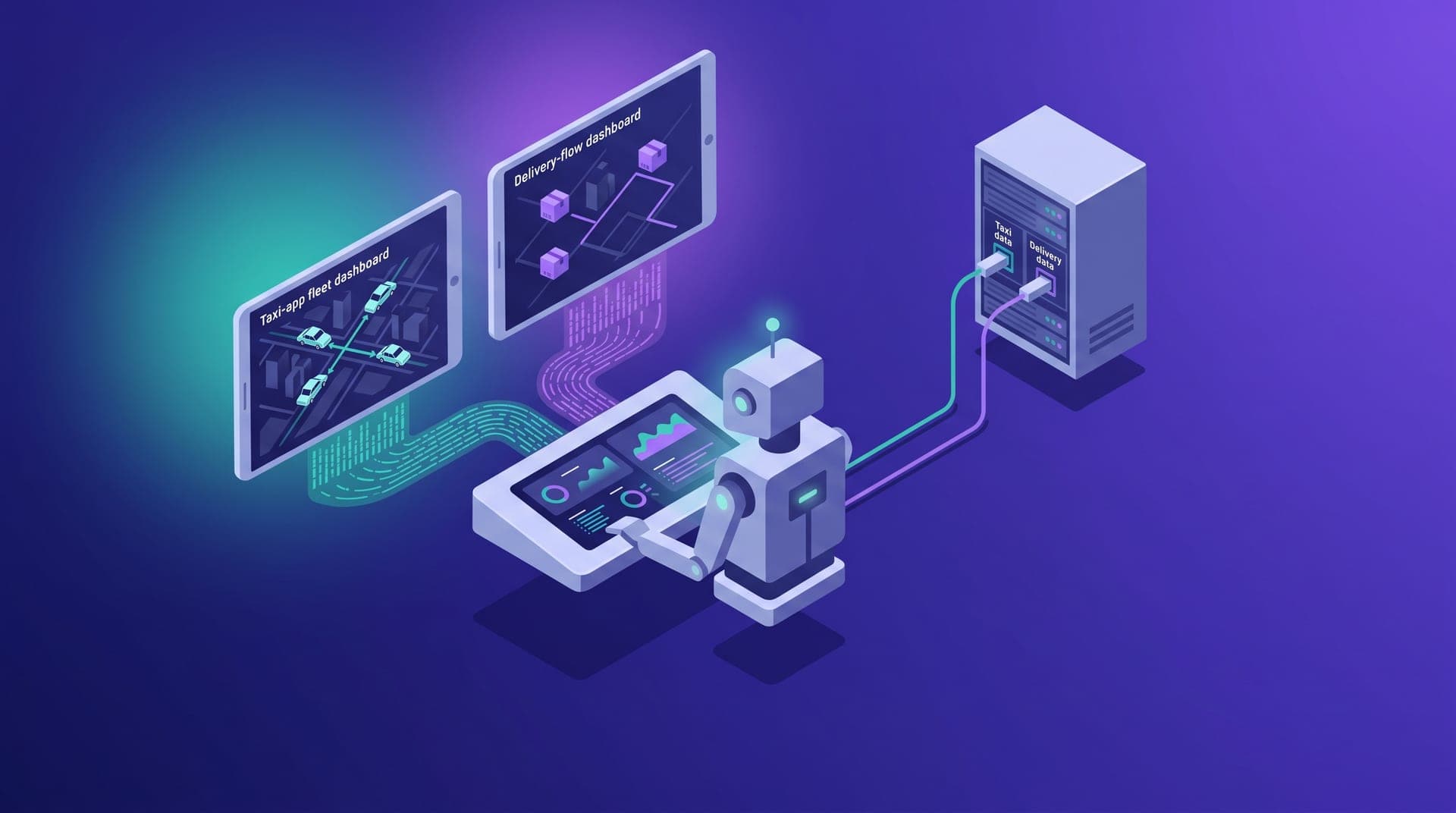
Operators running both taxi and delivery on Cabgo tend to reach the same conclusion after the first few weeks with the agent: they need two separate instances, one per app. The logic sounds solid — they're two businesses with different drivers, different pricing, and in many cases non-overlapping zones. The problem is that logic leads to an unnecessarily complicated system: two chat clients, two tokens, two prompt libraries to maintain in parallel. The thesis of this article is that one agent with one installed skill can manage both verticals from the same conversation, and the only variable that changes between a taxi task and a delivery task is the tenantId that appears in the prompt.
This article is for the operator who already has Cabgo's skill installed and has activated a second vertical on the platform. We cover how the MCP server resolves the tenant on each call, what the most common mistake is in multi-vertical operations, how to structure prompts so the agent always knows which app it is working with, and a pattern very few operators have explored: parallel queries that produce a comparative summary of both verticals in a single agent response.
How the MCP server decides which tenant the agent is talking to
Cabgo's skill defines a three-layer hierarchy for resolving the tenant on each call. The first layer is the explicit tenantId in the prompt: if the operator writes «for the delivery app, list available drivers», the agent extracts that context and passes it directly in the server call. The second is the tenantId preloaded in the chat client's system instructions — in Claude Desktop or in ChatGPT's profile instructions, the operator can include «my taxi tenant is [id]» as fixed context the agent uses when the prompt specifies nothing different. The third is the tenant linked to the authentication token: if neither of the previous two layers specifies a tenant, the server uses the one associated with the token, which in most installations is the first tenant the operator activated.
The danger of the third layer — the token's silent default — is that it activates without a visible signal. In a single-vertical operation that doesn't matter because there's always one correct tenant. In a bi-vertical operation, the default can point a delivery query at the taxi tenant without the agent flagging it: it returns data in the expected format, but from the wrong business. That type of error is harder to catch than an explicit one because the output looks correct in form. The weekly audit of `cabgo_my_mcp_usage` history is the only place where that pattern becomes visible: if 90% of the week's calls went to the taxi tenant when the operator remembers working with delivery for several days, the imbalance points to the problem.
The most common mistake: switching verticals without switching tenants
Most problems in multi-tenant operations don't happen at the start of a session — they happen in the middle. The operator begins the chat reviewing the taxi fleet and then, in the same conversation, asks about active delivery zones. That topic switch doesn't automatically update the tenantId the agent uses in subsequent calls: the agent keeps the previous tenant's context unless the new prompt explicitly changes it. The result is that the operator asks about delivery zones and gets the taxi tenant's instead — data that looks the same but belongs to the wrong business.
The mistake goes unnoticed because the agent doesn't announce when it kept the previous call's tenant instead of updating to the new one. It can happen several times in a long session before the operator spots a discrepancy — for example, that the active driver count doesn't match what they see in the app. By then, several shift decisions have already been made with the wrong tenant's data. The way to break that cycle isn't to review every agent response with suspicion, but to build the habit of naming the tenant at the start of each work block within the conversation.
Structuring prompts so the tenant doesn't get lost when context shifts
The solution requires no additional technical configuration — it requires a prompt habit. The principle is simple: every time you switch verticals within a conversation, the first message of the new block includes the tenant. Not as a special instruction to the agent, but as natural context: instead of «how many active drivers does delivery have this afternoon?», you write «Switching to delivery [tenant_id]: how many active drivers does it have this afternoon?». Two extra words are enough for the agent to resolve the right tenant on all calls in that block. There are four conventions that make this habit consistent without adding friction to daily work:
- Name the tenant at the start of each work block, not just the start of the session: an hour-long session may have three distinct blocks — shift open in taxi, zone review in delivery, shift close in taxi — and each needs its own tenant anchor to avoid context inheritance
- Include the tenantId in the prompt library's saved prompts: if the operator has a shift-summary prompt, saving one version for taxi and one for delivery with the tenantIds already embedded eliminates the need to remember adding them when using the template
- Use the app name alongside the technical ID when the context is new: «Delivery [app_name] [tenant_id]» is faster to read mid-conversation than a bare numeric ID, especially in operations with more than two apps
- At shift close, specify the tenant even when it's the same as the default: a close that explicitly names the tenant ends the session context without ambiguity and makes subsequent `cabgo_my_mcp_usage` log reviews easier to read
Parallel queries: a single report covering both verticals in one response
The most efficient pattern for the bi-vertical operator isn't alternating between tenants in the same conversation, but asking the agent to run both queries in parallel and return the results in a comparative format. Cabgo's MCP server accepts simultaneous calls to different tenants within the same conversation context — the agent can call a read tool twice in the same message, once per tenant, and combine the results into a table. For that to work, the prompt must specify both tenants and the expected output format in the same request: «Query fleet status for taxi [tenant_taxi] and delivery [tenant_delivery] in parallel. Return a table with columns: vertical, active drivers, trips completed today, peak availability rate. One row per vertical.»
The limitation of this pattern is accumulated session context: if the chat has been working with one tenant for several hours, the parallel query can produce a result biased toward that tenant because it has more history in context than the other. That bias doesn't appear as an explicit error — it appears as data asymmetry: the dominant tenant's metrics carry more detail than the secondary one's. The weekly `cabgo_my_mcp_usage` audit detects it as an unbalanced tenantId distribution for the week, and that's the signal to adjust when you run the parallel query or to split it into separate sessions when the context gap between tenants is large.
Per-vertical campaigns with cross-vertical verification
One of the advantages of a single multi-tenant agent is that one vertical's context can inform the other's decisions. The clearest case is demand campaigns: if the operator is considering launching a delivery bonus for a weekend with a city event, the taxi vertical's historical availability during that same period is relevant. If the taxi fleet ran at 65-70% availability during the last three similar weekends and some drivers operate across both services, activating a delivery bonus that pulls those drivers can create a supply gap in taxi that neither app anticipates separately. With two separate agents, that cross-check requires manual queries to both clients. With a multi-tenant agent, the prompt can request it explicitly before proposing bonus parameters.
The way to include that check in the campaign design prompt is direct: «Before proposing the delivery bonus parameters, query taxi availability history [tenant_taxi] for the same time slots over the last four weeks. If availability dropped below 70% in any of those periods, adjust the delivery bonus threshold to avoid competing for drivers already covered by the taxi service.» That conditional instruction gives the agent the criterion to calibrate the incentive across both verticals instead of designing it as if the other app didn't exist. It's not a special server feature — it's the direct result of having both tenants available in the same conversation context.
When it does make sense to separate the agents
The single-agent thesis has concrete exceptions. The first is team scale: if the operator has two different coordinators — one for taxi and one for delivery — and each uses the agent independently, it makes sense to give them separate tokens and separate agents, not for technical reasons but for operational accountability. Mixing two coordinators' sessions under the same tenant makes the `cabgo_my_mcp_usage` log difficult to interpret when you need to determine who executed what action and when. Two agents with separate tokens produce logs that correctly attribute actions to the right coordinator.
The second exception is geography: if taxi and delivery operate in different cities and share no drivers or zones, the benefit of cross-queries is low and the cost of specifying the tenant in every prompt is constant. In that case, two agents with city context fixed in their system instructions are simpler to operate than a multi-tenant agent that requires explicit specification in each work block. The practical rule: one agent per operator when the two businesses share drivers or zones; two agents when the human roles or geographies are entirely separate and cross-context adds no real value.
I spent two months with one chat for taxi and another for delivery because I assumed the agent would get confused if I mixed both apps in the same conversation. Once I understood how the tenantId works, I consolidated everything into a single fixed session in Claude Desktop. The only thing I changed was adding the app name and tenant at the start of each prompt block. Now I spend less time reviewing both verticals' status than I used to spend switching between windows.
The multi-tenant daily summary: one prompt for two businesses
The case where multi-tenant management in the same agent is most justified is the daily summary. Instead of reviewing two apps separately every morning, the operator can have one saved prompt that produces the status of both verticals in a structured response. The prompt has to do three things: specify both tenants, ask for the same metrics from each so the comparison is direct, and request a table format rather than a narrative one. A working example: «Today's shift summary. For taxi [tenant_taxi] and delivery [tenant_delivery]: active drivers now, trips completed in the last 12 hours, weekly average rating, and one alert line if any metric is outside the 7-day range. Return a table with both verticals as rows and the four metrics as columns.» Saved as a system instruction or in the prompt library, that template replaces the manual review of both apps every morning.
Managing two verticals from the same agent isn't a technical optimization — it's the direct way to use the fact that the agent has access to both contexts at the same time. The tenantId in the prompt is the control mechanism, and the habit of naming it at the start of each work block is the only difference between an agent that returns correct data and one that silently mixes it. If you have taxi and delivery active and still use two separate chats, the concrete action this week is to review your saved prompts and add the explicit tenant to each one — two or three words per template is the cost of that change. The `cabgo_my_mcp_usage` history will show you a tenantId distribution that reflects how you actually use both apps, instead of a concentration on the default that signals the specification got lost somewhere mid-session.